
Categories
- Home
- Gaming Consoles
- PTM7950-PAD
Honeywell PTM7950 SP Super Highly Thermally Conductive PCM Pad



Product Description
Honeywell PTM7950 Phase Change Thermal Pad is the best-performing thermal material in the world, based on our in-house testing. It works perfectly for CPUs and GPUs. Using PTM7950 along with Honeywell TGP8000PT Thermal Putty offers an unmatchable result!
PTM7950 is designed especially for high-performance chips requiring exceptional thermal performance, durability, and reliability. Nvidia and Lenovo have already been using PTM7950 for their top-of-the-line flagship GPUs and gaming laptops.
Honeywell PTM7950 Super Highly Thermally Conductive Phase Change Material (PCM) Paste Thermal Interface Materials
Honeywell’s PTM7950 series, a super highly thermally conductive Phase Change Material (PCM) in both pad and paste formats, is designed to minimize thermal resistance at interfaces, maintain excellent performance through reliability testing, and provide scalable application at a competitive cost.
Based on a novel polymer PCM system, this material exhibits excellent interface wettability during typical operating temperature ranges, resulting in extremely low surface contact resistance.
A proprietary material provides superior reliability (pass 150˚C baking 1000 hours, T/C-B 1000 cycles) and maintains low thermal impedance (<0.04˚Ccm2/W @ no shim), making the PTM7950 series desirable for high performance integrated circuit devices.
Honeywell Thermal Interface Solutions
PTM7900 Series Datasheets & Reports
Sizes (0.25mm thickness)
- 30mm x 20mm x 0.25mm
- 30mm x 30mm x 0.25mm
- 50mm x 31mm x 0.25mm
- 40mm x 40mm x 0.25mm
- 80mm x 40mm x 0.25mm
- 80mm x 80mm x 0.25mm
- 160mm x 100mm x 0.25mm
Types
Features & Benefits
- High performance filler and polymer technology.
- Phase change at 45°C.
- Highly conductive filler loading to optimize performance.
- Superior handling and reworkability.
- Superior reliable thermal performance.
- Available in both pad and paste formats.
General Properties
- Color: Grey
- Thickness: 0.25mm
- Thermal Resistance (cm2-K/W): 0.04 °C·cm²/W
- Thermal Conductivity (W/m °K): 8.5 W/mK
- Specific Gravity: 2.8
- Volume Resistivity: 2.1x10¹⁴ Ohms-cm
- HS Code: 3824.99.99
Alternative Product Names
- Honeywell PTM7950 SP PCM Pad
- Honeywell PTM7950 Phase Change Thermal Pad
- Honeywell PTM7950 Thermal Pad PCM Phase Change Thermal Conductive Material
- Honeywell PTM7950 Phase Change Material Thermal Pad 40x40mm 0.25mm Thickness
- Honeywell PTM7950 SP Thermal Interface Pad
Related Tools and Accessories
- Professional Anti Static Double Head Opening Disassemble Repair Tools
- Isopropyl Alcohol Pad Thermal Paste Remover
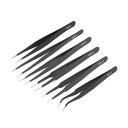
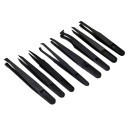
- ESD Safe Anti Static Precision Tweezers 8 Styles
- Professional ESD Antistatic Precision Tweezers
Installation Demo
Online Reviews
- theadventuresofkarl: PTM7950 is insane. Do it. I've been having serious overheating issues with my XPS 9560 since forever. I repasted with premium thermal paste every year, clean my fans and heat sinks, did the stacked thermal putty on the VRMS and still I'd get random bluescreens when gaming and temps would be up in high 90s. The coolest it even ran when gaming was 87C, most commonly I'd be getting 97+ degrees on the CPU even though it's on a high flow aluminium laptop cooler 24/7. I just cleaned off the thermal paste and applied some genuine PTM7950 and booted up my game. Wtaf. Smooth gameplay the entire time, max CPU temp was 73C.... that's more than 24C temp drop to my regular temps. Idle temps went from 55~60C down to 38~40C.
- jo_ko_0: I couldn't believe how good the results were. Hot spot dropped around 20°C and the fan speed doesn't go above 50%! This thing is quiet compared to before! I've been running BG3 for the past couple hours and the temps are rock solid at 78°C, 90°C hot spot. Out of curiosity, I set the fan speed to 70% while running BG3. I was getting 58°C and 70° hot spot! I guess it helps when the heat can actually leave the die lol. Since this is PTM7950, I only expect the temps to keep getting better with more heat cycles. Anything that's bare die is getting PTM from now on! Thanks for reading! 0.25mm from MODDIY.
- ZephyrusG14: 50mm x 31mm of Honeywell’s PTM7950 (obtained from MODDIY). For total system performance I used 3DMark TimeSpy and it showed an increase of 5.1% in 3DMark score with 19.6% and 3.0% for both the CPU Score and Graphics Score, respectively. Which is a win in my opinion.
- Avntusu: Finally here, from MODDIY - presenting PTM7950 pad... On ultra settings at 2K resolution, I’m getting 67 degrees celsius on the CPU and 65 degrees celsius on the GPU while getting a stable 105-115 FPS. This is online, I get about 20-30 extra fps on story mode.
- SacaLaBolsita_: I ordered the Honeywell PTM7950 thermal pad off MODDIY. It came in today, got it put in and Holy shit what a difference! When playing games like fortnite now my temps are easily 10 to 12°C cooler (I use a laptop stand to let the fans breathe).
- I-Skycake-I: I went with MODDIY, bought the 50x31 mm that would allow me to paste it twice in case I would mess up badly.. Results : You can see for yourself in the pictures… Improvements across the board during a 3D Mark Port Royal stress test. Of course they are all linked to the lower GPU temp which allows to increase the GPU clock and reduce the fan speed. By the way, this is the very first run. Which would be the worst case for PTM as the burn-in is not complete yet.
- EveningDay5261: I went from around 89c down to 77c when benching with XTU. All I did was change the thermal pads.
- DotBetaSDK: After installing the thermal pad and running the game again same settings same place for 10 minutes temps went down to 75-77c. The temps are 7-10c cooler running cyberpunk 2077 as well. The most important thing for me is the fan is quieter since the temps are lower which is a big plus. I'm happy with how it turned out.
- gpin305: Before (w/ Liquid Metal): Temps GPU High 96c / CPU 88c / Junction 101c. After (w/ PTM7950 and K5 PRO): Temps GPU High 78c / CPU 72c / Junction 80c.
- Kelzs: Temps went down from avg 82c (Max Fan Mode - Synapse Custom)all the way down to 72c in the same mode.I can now do Synapse Custom High mode without max fans and it stays much quieter and still averaged 76c.Idle temps went from 68-75c to 55-60c. I can regularly get 23k and average 22.8k or so on GPU Score with average temps of between 57-60c. I used PTM 7950 from MODDIY.
- 3p1cG4m3r123: I decided to get some PTM 7950 from MODDIY (40mm by 40mm). Idle temps dropped at least 20 degrees. Temps in Valorant came to be around 60 degrees with little to no fluctuations. Could barely hear the laptop fans, and glad that I now have more thermal headroom.
- Snowcross2020: I do use IETS GT500 to keep the temperature down especially during these hot European summers, but after the re-paste and new pads, it has never reached higher than 76-77 °C (gaming with Youtube music and tons of Firefox tabs open). It is now also is stable at 34-36°C while browsing + Youtube/Netflix and doing paperwork.
- ZephyrusG14: So I ordered the PTM7590 (the original stuff from MODDIY). My idle temps in Quiet mode are stable at 37°C, battery life is a whopping 10+ hours and even the performance improved! I've been playing Delta Force and could only run it on Medium Settings as the High Settings would only yield choppy 16-20 FPS. Jumped into the game, set it to High and got a great stable Performance with FPS easily over 30 (can't know for sure as there is no FPS overlay) with temps never going above 85°C. I loved the Laptop before but now it's a whole different beast! I've been thinking of getting a Macbook just to have some more battery life etc, but now? Forget it! I'm just so thrilled right now and really want to share, it feels like a brand new laptop - the PTM7590 is doing an awesome job!
- devious222: Each of my devices temps have improved, Win Max 2 1080P high settings temps would go up to 80-90 now they stay around mid 70. Win Mini mostly stays under 70 when gaming at 20 TDP. My G1 doesn’t sound like a jet engine when gaming. Over all really happy with the results, curious if I will get better results once the PTM7950 bakes in. I order my PTM7950 from MODDIY.com.
- Raventlov: I decided to take the plunge and order myself a slice of this thermal interface material from MODDIY. With the Honeywell 7950 TP in place, my GPU temperature saw a drop from 72°C to 69°C, but that's not all; the hotspot temperature went down from a toasty 97°C to a much more comfortable 90°C. What's even more impressive is that I achieved these lower temperatures with the fan running a whole 10% slower than before. In conclusion, I must say that my investment in the Honeywell 7950 TP thermal paste was well worth it. While its application requires a bit more attention, the performance gains and temperature reductions I achieved speak for themselves. If you're on the fence about trying out a new thermal paste, I'd definitely recommend giving this one a shot. It might just be the upgrade your rig needs to keep those temperatures in check and your gaming sessions running smoothly. Cheers to better thermals!
- ZephyrusG15: I ordered it last week from MODDIY (80mm 40mm) and it arrived today. When gaming on turbo the fans were quieter overall and I’d even hear them slow down! CPU maxed at 83 and the GPU maxed at 78. This was playing GTA V at 4K on my TV as well! I highly recommend this thermal pad! And I think I have enough leftover for my desktop GPU as well. I applied some to my desktop CPU (AMD 7900X) and gained about 10C when gaming.
- Top-Caregiver4310: Holy sh*t guys, i have to say i cant believe what this think can do. I got a Late Model LCD, people Said that this Revision has good thermal Paste, But i just installed it and dropped from 83degrees on the CPU to a Max of 72 in Zelda totk. Just wanted to give you guys a heads up that its totally worth it. Also dont buy fakes, get it from MODDIY.
- MrAlex68: I had to try by myself by re-pasting the machine using PTM7950 (from MODDIY) after 2 weeks of this post. And the result is so good. When in normal use, the CPU temp now rarely goes above 65c degree (ideal is 60c), GPU temp is just around 50c degree. When in game (Eg. eFootball), the CPU temp rarely over 85c degree (GPU at 61c max), while before re-pasting CPU went up 100c frequently. I use laptop cooling pad IIano v12, temps are even go lower by around 10c degree in both cases. The score for Cinebench R23 goes up from 26k (before re-pasting) to 31.5k (after) without undervolt (I use WSL Linux, so cannot undervolt). That makes me feel happy. Until now, my machine still keeps its temperature and great performance.
- TrickRelation4281: Instead of going back with new thermal paste I installed Honeywell PTM7950 SP phase change pads from MODDIY and they seem to have lowered my core temps quite a bit compared to my records from 2018.
- Albi-M: from the moment i turned it on i saw immediately why that little Honeywell thermal pad is so well known. I never saw my laptop temps so low, ever, not even when it was brand new 5.5 years ago. It didnt even get close to thermal throttling on my CPU, gaining a full 10 degrees, so i dont really go over 86c even with the fans set to auto on their lower setting. But the best part was noticing that the massive core delta basically disappeared. No throttling at all. If you are planning to repaste your laptop, give them a shot!!
- HungryBrain26: I used PTM7950SP pad measuring in at 50mm x 31mm bought from MODDIY for the CPU and GPU. This was the result of the run. A score of 15400 compared to 11338 before indicates a 35% performance increase!
- deseven: I ordered Honeywell PTM7950 30x30mm from MODDIY. The results are impressive, I shaved off 8 degrees under 10-minute CPU load with stress-ng and up to 15 in a typical mixed cpu/gpu usage. Boosting frequency got better on average, as well as the results in various benchmarks.
- Shot_Environment_519: So I finally ordered a PTM7950 from MODDIY (most authentic source). But it was all worth it. Now the CPU just never crosses 75° on high load like GTA enhanced where for some reason my CPU spiked to 50-60% usage. I would highly recommend you to get the PTM7950. It's just better.
- HattersUltion: got some TIM of MODDIY and some gelid pads. About an hr of my time and slapped it all back together. Results are not seeing above 73 on the GPU in games and stress tests and no higher than 88 on the hotspot in those same scenarios. Tldr; 4080 FE was due for some TLC. Almost all of the TIM had pumped out onto the surrounding components. Replacement led to 10 drop on the GPU and almost 20 drop on the hotspot.
- Yurii: Ordered from Germany. For the laptop, after replacing the thermal paste on the 7950, the idle temperature dropped by 15 degrees Celsius. The fans stopped howling and being annoying.
- FunPotential8589: ASUS’s liquid metal was garbage. Repasted with PTM 7950 and double CPU performance on Cinebench, gained a 1500+ point advantage on the GPU and halved my temperatures across the board. Cinebench Scores: 6732 -> 11326 3D Mark Time Spy: 8531 -> 10116. I had purchased some PTM 7950 from MODDIY because I remember seeing many many posts of the disastrous liquid metal application of multiple ASUS laptops.
- Ok-Housing1573: I bought it from MODDIY and got 40mm x 40mm and had loads to spare. I applied it and it all went well and then tested the thermal. I was stunned. The CPU was 72 degrees, and the GPU was 64 degrees even after 30 minutes. I then used 3dmark demo which I had used before changing to PTM7950, the score was around 2200, and then after it went to 2700, which is a drastic improvement. So, for anyone wondering about their high temps on gaming laptops and people telling you it’s normal. No, it’s not normal you just need to get PTM7950, and it’ll fix all your problems.
- Nitefallx: I got the PTM7950 from MODDIY after I noticed high hot spot temps. Max temps before: GPU - 72,9° C, Hot spot - 97,0° C. Max temps after: GPU - 67,6° C, Hot spot - 80,1° C. Very impressed and very pleased with these results!
- Asthma_Queen: Personally for GPU's and CPU's now I swear by ptm7950 (from an official supplier like MODDIY, for me personally I saw nearly as good temps as Liquid metal and without potential for pump out and degrading or other risks like Liquid Metal or just paste alone has its definitely my go to now for expensive cooling solutions.
- TheBuri: I did use Honeywell PTM7950 for the GPU/CPU that I bought from MODDIY. Temps really improved, now I'm never passing 70 deg Celsius even when playing Dota in summer... Right now, is winter so I guess that helps but the temps still sit at around 50 deg, so I'm glad I did it.
- Lanky_Chair2906: I came across PTM7950 (recommended by Gemini, of all places lol). So, I hit up MODDIY and ordered an 80x40mm piece. I was FLOORED by the difference. The pad effectively gave me 400 MHz more sustained performance, while dropping my average temperatures by 22°C. It's doing more work but staying incredibly cool. This is the first time EVER since I bought this refurbished from Micro Center that it has performed like this. I highly recommend it and can vouch for MODDIY.
- LetterheadClassic306: got mine from MODDIY and dropped my nitro temps by 15c under load.
- AntMiserable6610: MODDIY has legit ptm7950 and different sizes. They're a bit cheaper than lttstore. Put it on my 14900k cpu and it dropped my temps at load 10 degrees
- rchiwawa: I still have a waterblocked 2080 Ti thats been at 100% loading (folding @ home) that in the 6 years since its been put on PTM 7950 from MODDIY, hasn't shifted temps one iota... with a 9c delta between between Hotspot and core temp, 11c vs water temp the whole time.
- WonderfulWarning4561: I only use the 0.25mm Honeywell PTM7950 from MODDIY, it's the only legit one I found... the PTM from aliexpress is 0.20mm and IS NOT genuine. I compared MODDIY's PTM with the aliexpress one and the differences were enormous ( 5-8"C) , and yes, the heatsink was properly seated.
- consolerepair: [PS5 Slim] After playing Resident Evil 4 remake for about 3 hours in resolution mode with ray tracing enabled, the APU temp is completely under control. The fan is quiet and idle, and the exhaust heat feels perfect. If you're using your PS5 for a while, it might be worth checking the thermal state! I bought my PTM7950 from MODDIY to ensure its authenticity. I don't know how PTM from other sources would work but this one works like a charm.
- FallenRampage: [PS4 Pro] Running Red Dead Redemption 2 and Horizon Zero Dawn without turning on the fans, this disk drive is louder than the fans. Highly recommend I got mine from MODDIY.
- BoostedS2K_: I ordered a 40x40 piece of PTM7950 (MODDIY). Unsurprisingly, the card runs much cooler, around 10-12C cooler on the core and delta is 9-10C. After a 10 min run in 4K Furmark, i was stabilising at 67C core and 77C hotspot while pulling around 500W.
- Nicky W PRIME: After applying the PTM to my main laptop, after some small tests to let PTM spread, I saw insane results for my hot CPU (Ryzen 7 7840HX). There is no more 85 degree in extreme usage. Before applying HoneyWell PTM 7950 I was using Grizzly PhaseSheet PTM and I can say for sure HoneyWell PTM 7950 from MODDIY is ORIGINAL for sure! It performs much better and the fact that no one fake PTM will give these results is a huge fact!
5 stars for sure to MODDIY!
- and many more...
Product Videos
-
 GPD Win Max 2 - Honeywell ptm7950 - Tutorial: Application & Testing [35 watt - silent mode]In this video I will show you how to apply the Honeywell ptm7950 cooling pad to the GPD Win Max 2.After applying the cooling pad I will do a few tests and compare the results to stock thermal paste.------Honeywell ptm7950: https://www.moddiy.com/products/Honeywell-PTM7950-SP-Super-Highly-Thermally-Conductive-PCM-Pad.html-------Chapters:00:00 - Introduction02:32 - Tutorial: Disassembly05:28 - Tutorial: Cleaning06:36 - Tutorial: Hint07:50 - Tutorial: Apply the cooling pad10:00 - Tutorial: Assembly12:00 - Test: Kombustor (Stock &.ptm7950)12:41 - Test: Prime95 (stock & ptm7950)13:03 - Test: Silent mode (ptm7950)14:29 - Test: Horizon: Zero Dawn15:22 - Witcher 3: Next gen17:00 - Test: Result Table17:05 - Conclusion-------Music from the game series "Sengoku Basara".Order of appearance:1: Blanket of Snow on the Rabbit-Ear Iris2: The Red Bell3: Bizen - Okayama Castle4: Flooding Ueda Castle5: Tsuruhime's Theme6: Masamune Date's Theme7: Assault---Channel Link: https://www.youtube.com/channel/UCjLMAxvG4CxOqVfai_JhnLQ?sub_confirmation=1
 -
 I Stopped my Overheating CPU and GPU ForeverHoneyWell PTM7950:https://www.moddiy.com/products/Honeywell-PTM7950-SP-Super-Highly-Thermally-Conductive-PCM-Pad.htmlIf you have any trouble, you can reach me here:Channel Discord(Tech Support and Discussion)https://discord.gg/pZQqCCcWevCoral by LiQWYD | https://soundcloud.com/liqwyd/Music promoted by https://www.chosic.com/Licensed under Creative Commons: Attribution 3.0 Unported (CC BY 3.0)https://creativecommons.org/licenses/by/3.0/Music: https://www.bensound.com/royalty-free-musicJim Yosef - Firefly pt. II (ft. STARLYTE) [NCS Release]Kozah - Cali4nia [NCS Release]Track: Ascence - About You [NCS Release]Music provided by NoCopyrightSounds.Watch: https://youtu.be/bXHfrdi_fsUFree Download / Stream: http://ncs.io/AboutYou00:00 - Intro00:48 - Overview01:04 - Before - Noctua NTH203:22 - Unboxing04:12 - Cleaning out the old Thermal Paste05:08 - Installing PTM795007:06 - First Impressions07:40 - The Numbers08:25 - Real World Test09:07 - Important info for Lenovo Laptops
 -
 How LOW Can It Go? | Steam Deck Thermal ModdingOver 50 HOURS of testing later and I finally know the perfect mods to keep the Steam Deck cool! Join me as I get to the bottom of the question "How Low can it Go?" with 7 different aftermarket Deck mods.Read the article version on SDHQ: https://steamdeckhq.com/news/how-low-can-it-go-steam-deck-thermal-modding/Products in the video:=============================New JSAUX Backplate (vented): https://go.jsaux.com/3KdQPsLOld JSAUX Backplate (metal): https://go.jsaux.com/42HKCvFNoctua NT-H1 Thermal Paste: https://amzn.to/3Y9P59RHoneywell PTH7950 Thermal Pad: https://www.moddiy.com/products/Honeywell-PTM7950-SP-Super-Highly-Thermally-Conductive-PCM-Pad.htmlJSAUX Magnetic Fan: https://go.jsaux.com/44FJ0EeJSAUX Clip-On Fan: https://go.jsaux.com/44WC7hKVideos Mentioned:=============================Steam Deck Storage SHOWDOWN: https://youtu.be/6PYAbu0swi0Undervolting/Overclocking: https://youtu.be/LNEI7BTc87QOther Links:=============================ECMA-287 PDF: https://www.ecma-international.org/wp-content/uploads/ECMA-287_2nd_edition_december_2002.pdfSocials:=============================Join the Discord: https://discord.gg/ySe8WGVNPvFind me on Twitch: https://twitch.tv/cryobyte33Find me on Mastodon: @cryobyte33@mastodon.cryobyte.netPlaces to Support Me:=============================* Patreon - https://www.patreon.com/cryobyte33* Ko-Fi - https://ko-fi.com/cryobyte33* Super Thanks here on YT* Humble Bundle with code "CryoByte33"* Affiliate Links BelowAFFILIATE LINKS:=============================Steam Deck Stuff:---------------------------------------------------------iVoler Dock - https://amzn.to/3HBITiYJSAUX M.2 Dock - https://go.jsaux.com/3nVSxH3JSAUX Hub (Attaches to ModCase) - https://go.jsaux.com/3Ukz2ULModCase - https://go.jsaux.com/3KdN59QTransparent Backplate - https://go.jsaux.com/42HKCvFSetup:---------------------------------------------------------Monitor - Dell U3821DW - https://amzn.to/3X8pBr2Speakers - Creative Pebble v3 - https://amzn.to/3YnprguChair - Herman Miller Aeron w/ PostureFit - https://amzn.to/3Yrm1czKeyboard - Keychron K8 Pro w/ Gateron Browns - https://amzn.to/3Yux7NYMice - Logitech MX Master 3s - https://amzn.to/3leTngHMicrophone - Rode PodMic - https://amzn.to/3KGyoxqAudio Interface - Scarlett Solo (3rd gen) - https://amzn.to/3MpWPR3Capture Card - Elgato HD60s (when it works) - https://amzn.to/3RDXLC7PC Parts:---------------------------------------------------------Case - SSUPD Meshilicious - https://amzn.to/40wjSyfCPU - AMD 5600x - https://amzn.to/3lcu8vwCPU Cooler - Noctua NH-L9a-AM4 - https://amzn.to/3JKmNgXRAM - CORSAIR Vengeance RGB DDR4 4600Mhz - https://amzn.to/3wXvn4jStorage - SAMSUNG 980 PRO 1TB - https://amzn.to/3RJfUOU & Samsung 870 QVO 2TB - https://amzn.to/40vAAxIPSU - Cooler Master V850 Gold V2 - https://amzn.to/3XodBSFGPU - EVGA GeForce RTX 3080 Ti 12GB FTW3 ULTRA - https://amzn.to/3l7kDNTCase Fans - 2x Noctua NF-A14 - https://amzn.to/3Yqfa3dChapters:=============================00:00 - Opening Words00:18 - Self-Sponsor00:53 - Introduction01:54 - Table of Contents02:07 - Testing Methodology06:06 - Stock/Baseline08:01 - New JSAUX Backplate (Vented)11:29 - New Paste + Stock Backplate13:30 - New Paste + New JSAUX Backplate (Vented)15:58 - PTM Pad + Stock Backplate19:37 - PTM Pad + New JSAUX Backplate (Vented)21:22 - Old JSAUX Backplate (Metal)23:52 - JSAUX Magnetic Fan25:39 - JSAUX Clip-On Fan27:51 - Takeaways29:30 - Final Benchmarks30:10 - Concerns31:45 - Conclusion
 -
 GPD Win Mini Upgrade - PTM7950 and DisassemblyPTM7950 Link - https://www.moddiy.com/products/Honeywell-PTM7950-SP-Super-Highly-Thermally-Conductive-PCM-Pad.html🔥 Discover the cutting-edge in thermal management technology with this in-depth look at Honeywell’s PTM7950 series! In this video, I delve into the world of highly thermally conductive Phase Change Materials (PCM), showcasing the revolutionary PTM7950 🚀 Key Features of Honeywell’s PTM7950:Exceptional Thermal Conductivity: Learn how the PTM7950 minimizes thermal resistance at interfaces, ensuring your devices stay cool under pressure.🔬 Technical Deep-Dive:Innovative Polymer PCM System: Discover how this novel system enhances interface wettability, leading to ultra-low surface contact resistance.Superior Reliability: Witness the robustness of PTM7950, passing extreme testing conditions like 150˚C baking for 1000 hours and T/C-B 1000 cycles.Low Thermal Impedance: With less than 0.04˚Ccm2/W @ no shim, find out why this material is a game-changer for high-performance integrated circuit devices.💡 Like & Subscribe: Don’t forget to like, subscribe, and hit the notification bell for more updates on the latest in electronic materials and technology.📢 Share Your Thoughts: Have experience with the PTM7950 or similar materials? Drop a comment below and share your insights with our community!Chapters00:00 - PTM7950 is Great Stuff01:50 - Disassembling GPD Win Mini - How To03:22 - Getting Ready To Remove the Heatsink06:50 - 2230 NVMe / SSD Removal - How To08:12 - Removing the Heatsink Fan - How To09:12 - How-to Clean TIM from Heatsink13:44 - Applying PTM795015:35 - Putting it all back together17:55 - Results
 -
 EVERYTHING You Need To Know About Buying A Steam Deck In 2023!I decided to make a complete buyer's guide for the Steam Deck in 2023, covering everything from performance to recommended accessories!Note: Apologies for the constantly changing lighting, recording took place over a few hours due to camera issues 😅Accessories in the video (Affiliate where available):=============================New JSAUX Backplate (vented): https://go.jsaux.com/3KdQPsLHoneywell PTH7950 Thermal Pad: https://www.moddiy.com/products/Honeywell-PTM7950-SP-Super-Highly-Thermally-Conductive-PCM-Pad.htmlSamsung EVO Select MicroSD: https://amzn.to/3NNfzsRiVoler Dock: https://amzn.to/3HBITiYJSAUX M.2 Dock: https://amzn.to/3jx0W1DJSAUX Modcase: https://go.jsaux.com/45f6uAxVideos Mentioned:=============================Steam Deck Storage SHOWDOWN: https://youtu.be/6PYAbu0swi0How LOW Can It Go? | Steam Deck Thermal Modding: https://youtu.be/aai2AtxenU0Other Links:=============================SDHQ: https://steamdeckhq.com/Deck Verified Program: https://www.steamdeck.com/en/verifiedProtonDB: https://www.protondb.com/Ally MicroSD Issue: https://www.windowscentral.com/gaming/asus-rog-ally-units-may-have-a-major-hardware-fault-heres-whyAlly Performance Issues: https://www.theverge.com/2023/6/29/23777231/asus-rog-ally-performance-sd-card-issues-statementSocials:=============================Join the Discord: https://discord.gg/ySe8WGVNPvFind me on Twitch: https://twitch.tv/cryobyte33Find me on Mastodon: @cryobyte33@mastodon.cryobyte.netPlaces to Support Me:=============================* Patreon - https://www.patreon.com/cryobyte33* Ko-Fi - https://ko-fi.com/cryobyte33* Super Thanks here on YT* Humble Bundle with code "CryoByte33"* Affiliate Links BelowChapters:=============================00:00 - Opening Words00:24 - Introduction00:46 - What IS the Steam Deck?01:28 - What can it do?02:24 - What can it play?04:47 - Performance06:02 - The Deck’s special ability06:46 - What’s the difference between the models?08:10 - Upgrade-ability & Repair-ability09:25 - Tweak-ability & Customization10:00 - Community10:38 - Common accessories12:51 - How does it compare to the ROG Ally?15:39 - Conclusion
 -
 ASUS G14 Repaste with PTM7950 and K5 PROMy 2022 Asus G14 AMD Ryzen 9 and AMD Radeon RX 6700S was have issues thermal throttling and or randomly shutting down under full load (Ultimate mode and Turbo). So I decided to try cleaning and repasting everything. Quick Background About Me!I am not vary handy but got to the point where I was ready to risk it all to fix this issue. So bare with me as I made a lot of mistakes lolHoneywell PTM7950 SP Super Highly Thermally Conductive PCM Padhttps://www.moddiy.com/products/Honeywell-PTM7950-SP-Super-Highly-Thermally-Conductive-PCM-Pad.htmlK5 PRO Viscous Thermal Paste for Thermal pad Replacement 20ghttps://www.amazon.com/dp/B00UTX7K2E?psc=1&ref=ppx_yo2ov_dt_b_product_detailsResults - Before (w/ Liquid Metal) Temps GPU High 96c / CPU 88c / Junction 101cCyber Punk 2077 Low Settings (across the board) 30-40 FPSHogwarts Legacy Mixed Settings - 50-60 FPS (Capped due to frame drops)AMD FS2 2 in Balanced ModeEffects Quality - MediumMaterial Quality - UltraFod Quality - HighSky Quality - MediumFoliage Quality - LowPost Process Quality -MediumShadow Quality - HighTexture Quality - UltraView Distance Quality - LowPopulation Quality - LowResults - After (w/ PTM7950 and K5 PRO) Temps GPU High 78c / CPU 72c / Junction 80cCyber Punk 2077 Ultra Settings (across the board) 30-40 FPSHogwarts Legacy Ultra Settings - 60-70 FPS AMD FS2 2 in Balanced ModeMadden 23 Ultra Settings - 60-120 FPS
Product Videos
-
 GPD Win Max 2 - Honeywell ptm7950 - Tutorial: Application & Testing [35 watt - silent mode](19:40)
 -
I Stopped my Overheating CPU and GPU Forever(10:28)
-
How LOW Can It Go? | Steam Deck Thermal Modding(32:47)
-
GPD Win Mini Upgrade - PTM7950 and Disassembly(19:54)
-
EVERYTHING You Need To Know About Buying A Steam Deck In 2023!(16:27)
-
ASUS G14 Repaste with PTM7950 and K5 PRO(37:48)
Find Similar Products by Category
Product Reviews
Showing reviews 1-10 of 405 | Next
-

Jesse

MODDIY had exactly what I needed; PTM7950 and Thermal Putty Pads for repairs on my Alienware X17 R1 laptop.
2026-10-28
-
Fredrik P
Very easy to find what I needed! Good descriptions!
2026-10-28
-
Ryan B
got exactly what i need
2026-10-25
-
Nathanial
All good. No notes.
2026-10-25
-
John D
I've ordered from your company before. Excellent product and reliable shipping.
2026-10-24
-
SriLankanShopper
Your purchasing mechanism is very easy to understand.
2026-10-23
-
Ethan F
Straight forward and easy - the website is very streamlined and easy to navigate
2026-10-22
-
Stefan J
Awesome selection and shipping alternatives!
2026-10-22
-
Victor V
Everything I've bought from Moddiy has been excellent.
2026-10-20
-
Vladimir
Отлично
2026-10-19
Showing reviews 1-10 of 405 | Next
Customers Who Bought This Product Also Bought
-
 $19.99
-
 $24.99
-
 $24.99
-
 $0.49
$0.49
-

$34.99$29.99 -
 $2.99
$2.99
-
 $0.99
$0.99
-
 $19.99
-
$29.99$24.99 -
 $19.99